


AI Setup Guide
Follow this guide to start trading smarter in under 2 minutes.
Every setup requires at least 1 Strategy and 1 Template. Signals are optional (we’ll cover them later).
We recommend starting with a package such as Core AI Package, because it can save you up to 50% compared to buying individual items.
Before you start
- Choose your Template and a Strategy (or build an AI)
- Signals are optional — you can add them later without rebuilding everything
Step 1: Download your package(s)
Download the package(s) you want to use with your bot.
If you’re unsure which strategy or package to pick, see our recommendation here.
Step 2: Load a Template (fastest setup)
Install one of the Templates included in your package.
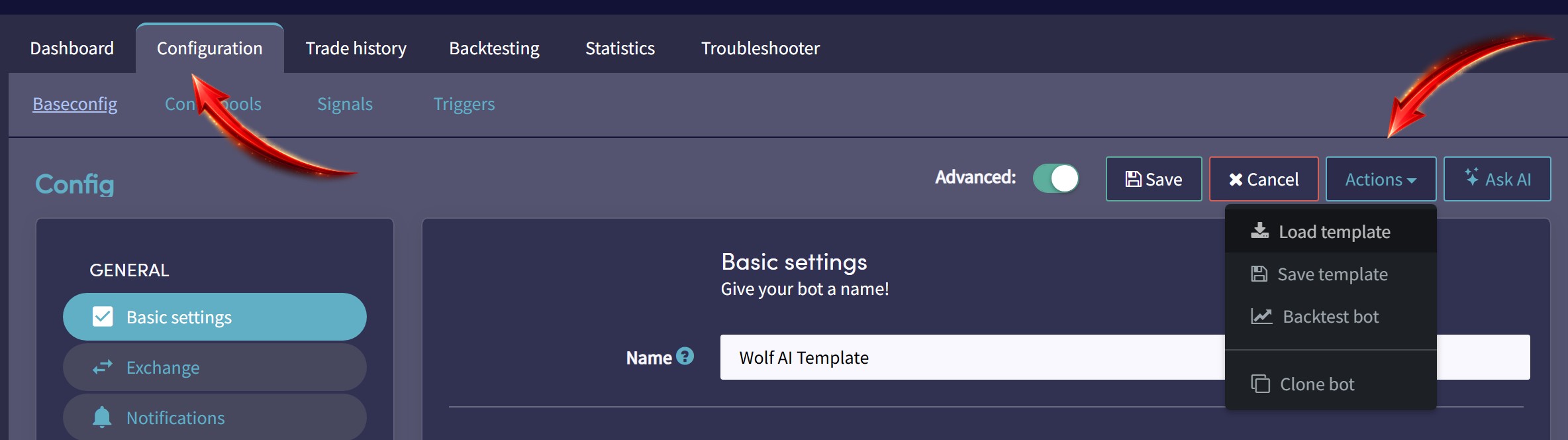
Navigate to:
Bot configuration → Baseconfig
Then click: Actions → Load template
Step 3: Turn your bot into an AI bot (optional)
This step is optional. If you prefer to trade with a single strategy (without AI), skip to Step 4.
Step 3.1: Create a new AI
Create a new AI from:
My Library → Strategies → New AI
Or access it directly here:
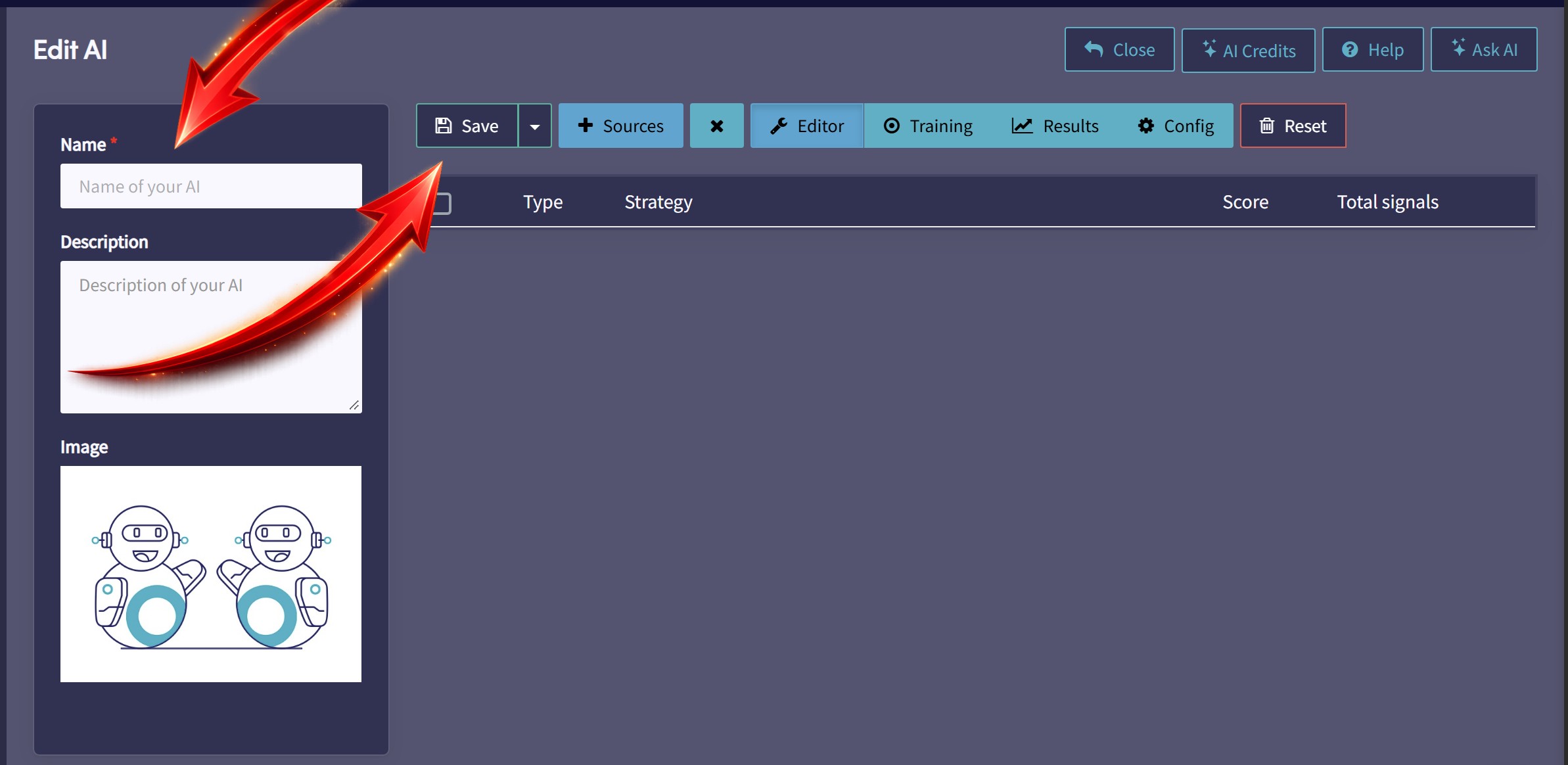
Inside the AI editor:
- Give the AI a name (example: Wolf AI)
- Click Save to create it
- Optional: change the AI image to match the Core AI thumbnail
Step 3.2: Add Trend Strategies to your AI
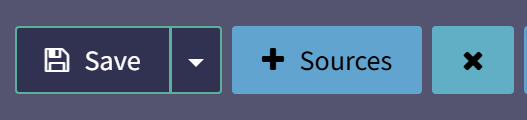
Click the + Sources button inside the AI editor. A window will pop up with options.
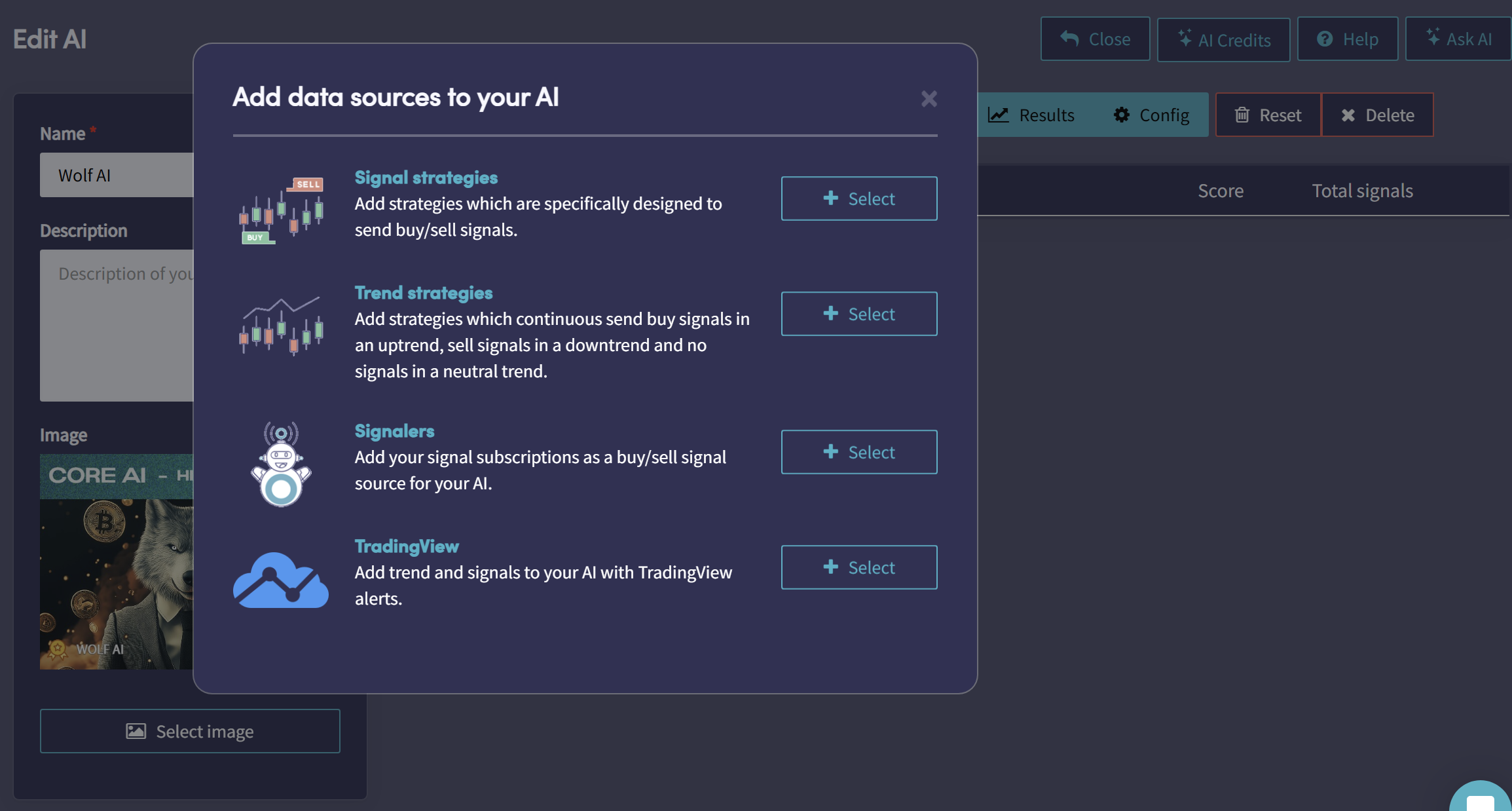
Now do the following:
- Select Trend Strategies
- In the search box, type Wolf AI
- Manually select every strategy that includes the word Trend
These Trend strategies should be included in the packages you downloaded in Step 1.
Note: If you don’t see any Trend strategies, make sure you downloaded at least one package that includes Wolf AI Trend strategies. Your AI needs multiple strategy sources to work properly.
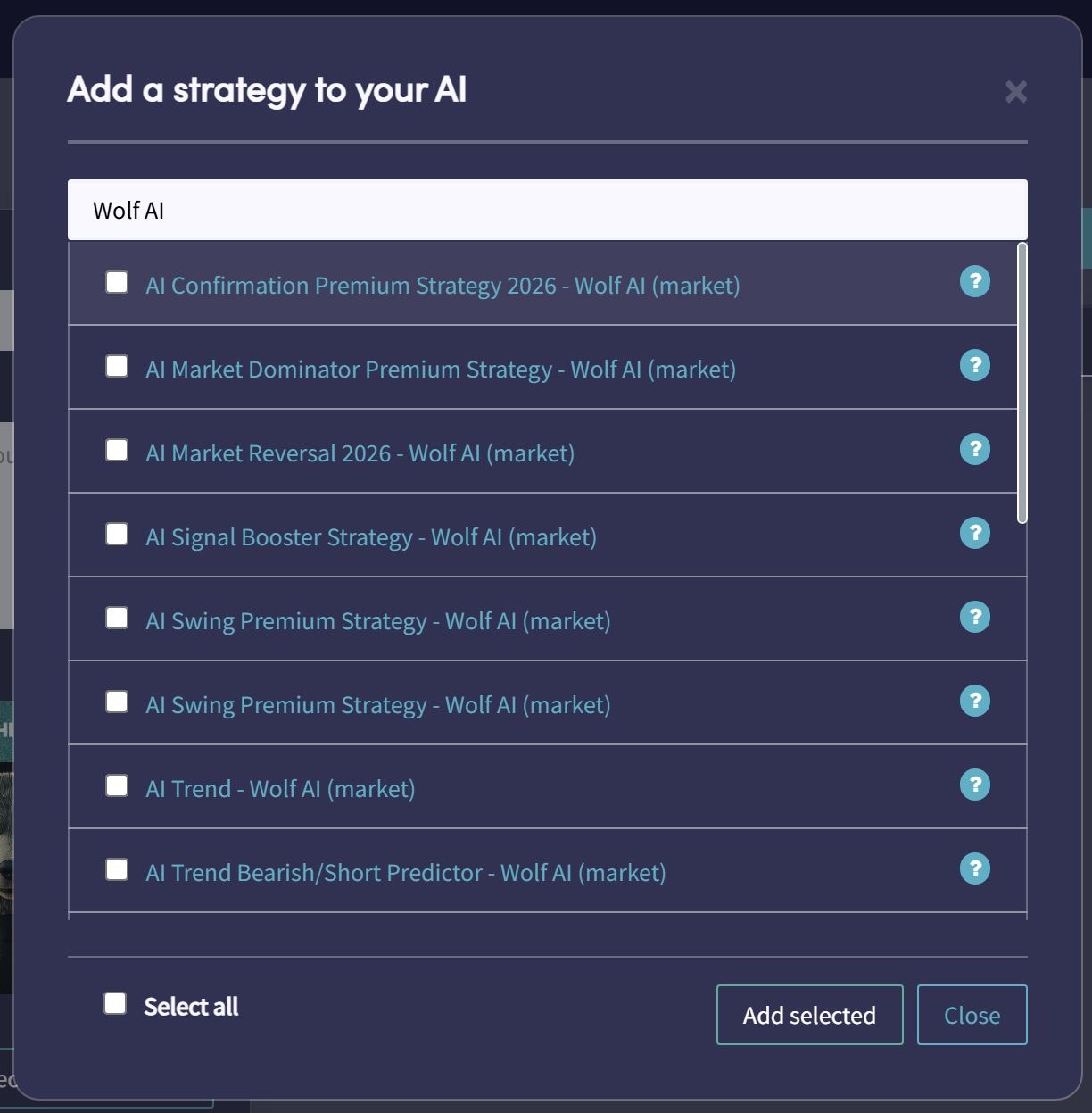
Then:
- Click Add selected
- Click Save to save your AI
Step 3.3: Add Signal Strategies to your AI
Click + Sources again.
This time:
- Select Signal Strategies
- Search for Wolf AI
- Manually select all Wolf AI strategies that do not include the word Trend
Then click Add selected and click Save again.
Note: At this point, you should have added all of Wolf AI strategies to your AI as either signal strategies or trend strategies.
Step 3.4: Add Premium Signals (optional)
If you subscribed to our Premium Signals, you can add them to your AI as an extra signal layer.
Click + Sources again and do the following:
- Select Signalers
- Search for Wolf AI
- Select the Wolf AI signals

Then click Add selected and click Save.
How the AI works (simple explanation)
In the AI editor:
- Signal Strategies focus on spotting trade opportunities
- Trend Strategies focus on analyzing market conditions across different timeframes
The AI continuously tests the strategies and signals you added, and aims to filter out weaker sources while prioritizing the best-performing signals for the current market conditions.
Step 4: Select your strategy in the bot configuration
Navigate to:
Bot configuration → Baseconfig → Strategy
- 4.1 Make sure Signals Only is turned OFF
- 4.2 If you created an AI, select it here (example: Wolf AI)
- 4.2 If you are not using AI, select your main strategy instead (example: HIT & RUN or Market Dominator)
- 4.3 If you are using AI, keep the rest of the strategy settings like in the screenshot below
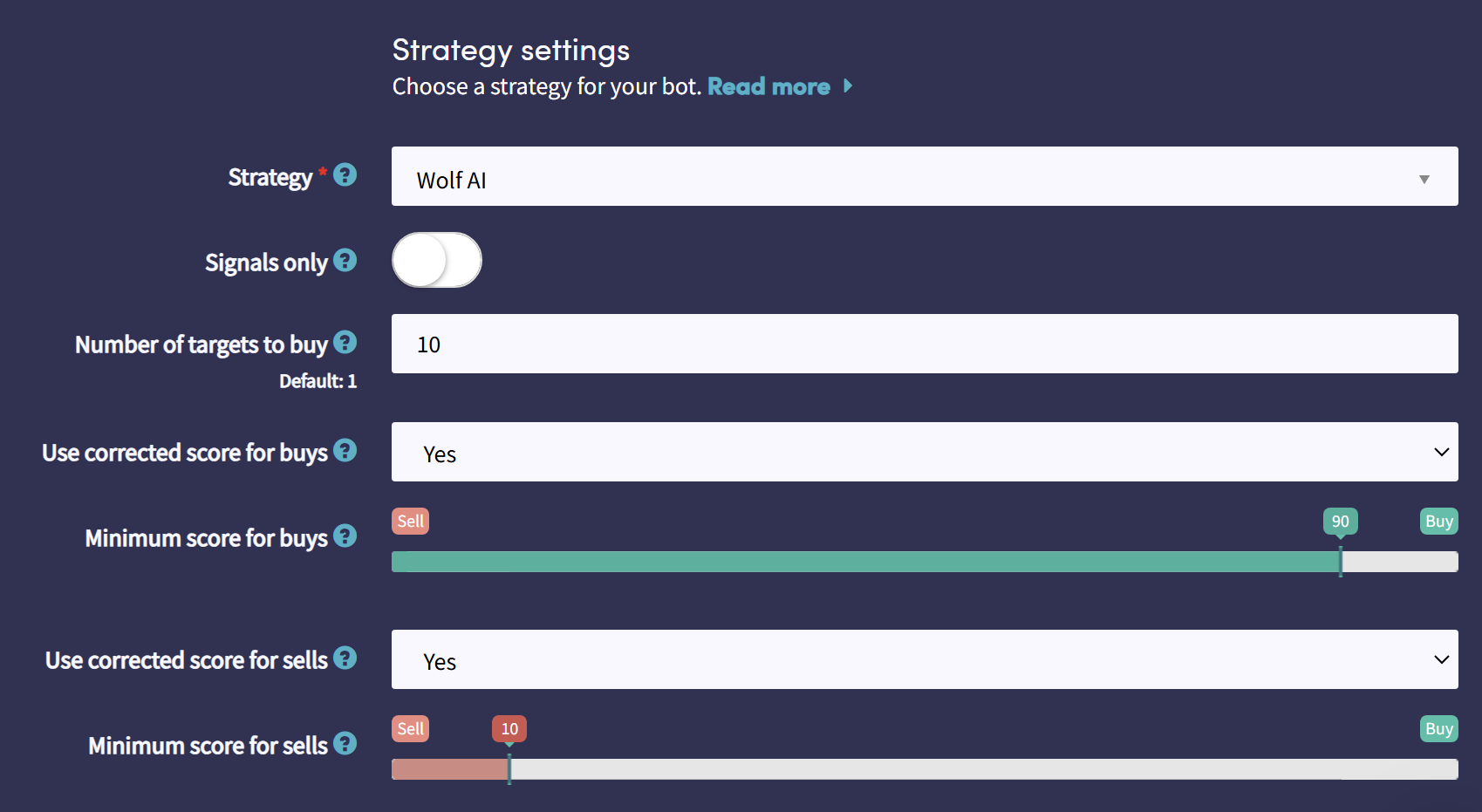
Done! Your AI is now running 24/7
Once your AI (or strategy) is selected and your bot is enabled, it will run automatically 24/7 based on your configuration. From this point, Cryptohopper will continuously monitor the market and execute trades when your strategy (and optional Signals) conditions are met.
Tip: If you don’t see trades yet, double-check that your bot is turned on, your exchange (or paper trading) is connected, and you have available funds in your selected quote currency.